



Add to screen

CityRun3D

Top 20 Games

Draw to Drive

You have never played a race like this before! Any drawing will become a car! If you are stuck draw another car until you pass the obstacle!
7.46K players

Pro Cycling Knockout

The ultimate pro cycling race game. Use the rear wheel to knock out your pro cyclist rivals. Arrow keys/keyboard controls for desktop version. Touch controls for mobile version.
8.16K players

Tricky Track 3D 2

Tricky Track 3D 2 is an online Kids game, it's playable on all smartphones or tablets, such as iPhone, iPad, Samsung and other Apple and android system. If you like to play parkour games, then you can't miss Tricky Track 3D 2. Tricky Track 3D 2 is a fun confrontational parkour arcade game. At each level, you will be pitted against a human-machine and the victory belongs to the first participant to the finish line. When the road is green, you can pass. If it's red, you'll be blocked or slowed down. Watch out for the balls the other team throws at you! It will stop your progress! Doesn't that sound like fun? Come and join!
8.86K players

Gold Runner

Come and have fun for free with this amazing endless runner! Chase after the robber who stole your gold and unlock new worlds. Do you have what it takes to run through all the worlds and win? It’s not super easy to be the best, but we believe in you! Start running and racing now. It’s time to go for gold!.
4.41K players

Dart Throwing

Throw darts at the target board. Score double points for hitting the bullsye. Time your throws accurately. One miss of the dart, and you're ...
8.14K players

Samurai Parkour Combat

It's a fun parkour combat game. This is a cute samurai. Now he has to keep moving forward and kill everyone along the way. Don't be merciless! In addition to upgrading more weapons, you can also upgrade your own strength, have powerful skills, and complete tasks easily!
6.17K players

CityRun3D

RacingGame
3324 Players

Game Information

Developer:

Jack Miller

Released:

2024-02-21

Rating:

4.0 ( 3324 Players )

Platform:

Browser (desktop, mobile, tablet), App Store(iOS, Android)
Game Description

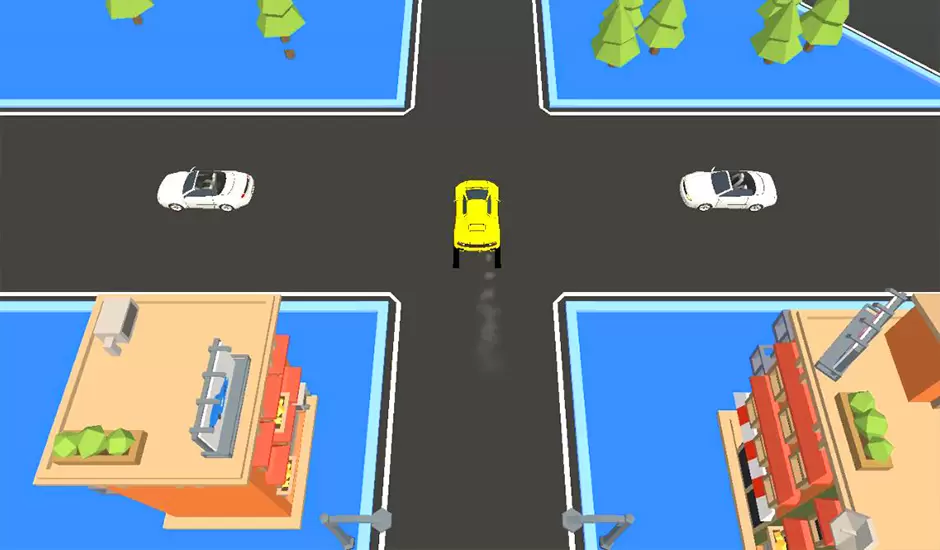
CityRun3D

Game Guide

No guide available

The steps to add an app to the Home Screen on iOS and iPadOS are as follows:

  1. Open the "Share" menu at the bottom or top of the browser.
  2. Click to Add to Home Screen.
  3. Confirm the app name; the name can be modified.
  4. "Click to Add"