



Add to screen

Samurai Parkour Combat

Top 20 Games

Save The Princess

9.86K players

Build Bridge

Build BridgeDrag to create a path and guide the car to the goal!You can only draw the line once, be careful not to break the car!You can only draw it once, make sure the car bridge you create is strong enough. Safety comes first, make sure your car gets to the finish line safely. (The road that is not smooth enough will cause the car to roll over and break.
5.75K players

Space Landing

Enter space orbit and explore the depths of alien planets, your driving skills will be the only thing that will save you! Start the engine of the spaceship, move left and right to fly, and avoid the roadblocks and alien bugs in the orbit. How far can you go in this space landing game?Be aware that what's stopping the ship from flying are barricades that could move at any time and alien bugs that crawl, don't stop dodging obstacles as you explore this endless galaxy!Collect as many coins as you can, you can use this money to buy ship upgrades or buy cooler spaceships.
5.62K players

KnifeMaster3D

KnifeMaster3D
3.90K players

Zombie Apocalypse Adventure

Run, hill climb, and kill zombies to avoid the apocalypse! Hop in the car and drive in zombie apocalypse city. Crush the zombies with armor vehicles! At the beginning of the new year, we have to bring one of the most exciting and fun adventures. Make flips and tricks to increase the score and collect stars to upgrade your ride and destroy everything in your way.
3.02K players

Draw Machine Duel

DrawMachineDuel
6.33K players

Samurai Parkour Combat

ActionGame
6175 Players

Game Information

Developer:

Michael Rodriguez

Released:

2025-08-27

Rating:

4.0 ( 6175 Players )

Platform:

Browser (desktop, mobile, tablet), App Store(iOS, Android)
Game Description

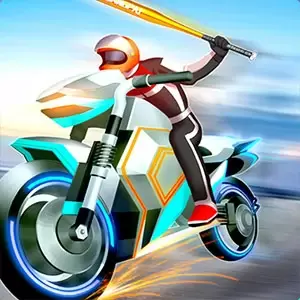
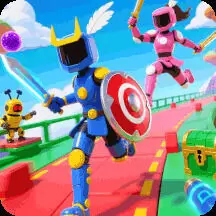
It's a fun parkour combat game. This is a cute samurai. Now he has to keep moving forward and kill everyone along the way. Don't be merciless! In addition to upgrading more weapons, you can also upgrade your own strength, have powerful skills, and complete tasks easily!

Game Guide

No guide available

The steps to add an app to the Home Screen on iOS and iPadOS are as follows:

  1. Open the "Share" menu at the bottom or top of the browser.
  2. Click to Add to Home Screen.
  3. Confirm the app name; the name can be modified.
  4. "Click to Add"