



Add to screen

Assassin League Operation

Top 20 Games

Online Archery 1v1

Here's the most fun online archery game for you! Play against thousands of online players 1 on 1. Choose from multiple bows, arrows, and sights as you go for the bullseye!.
6.24K players

Crazy Ball 3D

Crazy Ball 3D is a action game.
8.95K players

Wilderness Redemption

WildernessRedemption
7.62K players

Hair Stack 3D

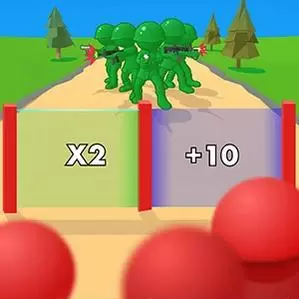
Hair Stack 3D is an online Kids game, it's playable on all smartphones or tablets, such as iPhone, iPad, Samsung and other Apple and android system. Hair Stack 3D is a hair running game. Go through the numbered doors and collect more hair. Dodge the obstacles that make you less in number. Your ultimate goal is to make more hair so that the bald head at the end can have beautiful hair! Are you ready to help him? Let him applaud you!
5.62K players

Samurai Parkour Combat

It's a fun parkour combat game. This is a cute samurai. Now he has to keep moving forward and kill everyone along the way. Don't be merciless! In addition to upgrading more weapons, you can also upgrade your own strength, have powerful skills, and complete tasks easily!
6.17K players

Buddy Friend's Car Adventure

Get ready to start your new journey with your Buddy Friend. Run for your life but this time with awesome and fast cars. Enjoy a exciting driving experience through many obstacles, loops, jumps and platforms while you save the buddys life. Collect coins to upgrade your cars and complete more than 100 levels to increase the speed. Control the vehicle and make tricks to earn score and have fun jumping long distances!
5.19K players

Assassin League Operation

ShootGame
6624 Players

Game Information

Developer:

Mary Gonzalez

Released:

2024-08-20

Rating:

1.0 ( 6624 Players )

Platform:

Browser (desktop, mobile, tablet), App Store(iOS, Android)

Game Description

AssassinLeagueOperation

Game Guide

No guide available

The steps to add an app to the Home Screen on iOS and iPadOS are as follows:

  1. Open the "Share" menu at the bottom or top of the browser.
  2. Click to Add to Home Screen.
  3. Confirm the app name; the name can be modified.
  4. "Click to Add"